Everything CritterPal does
A small friend for your desktop that helps with homework and never gets boring.
-
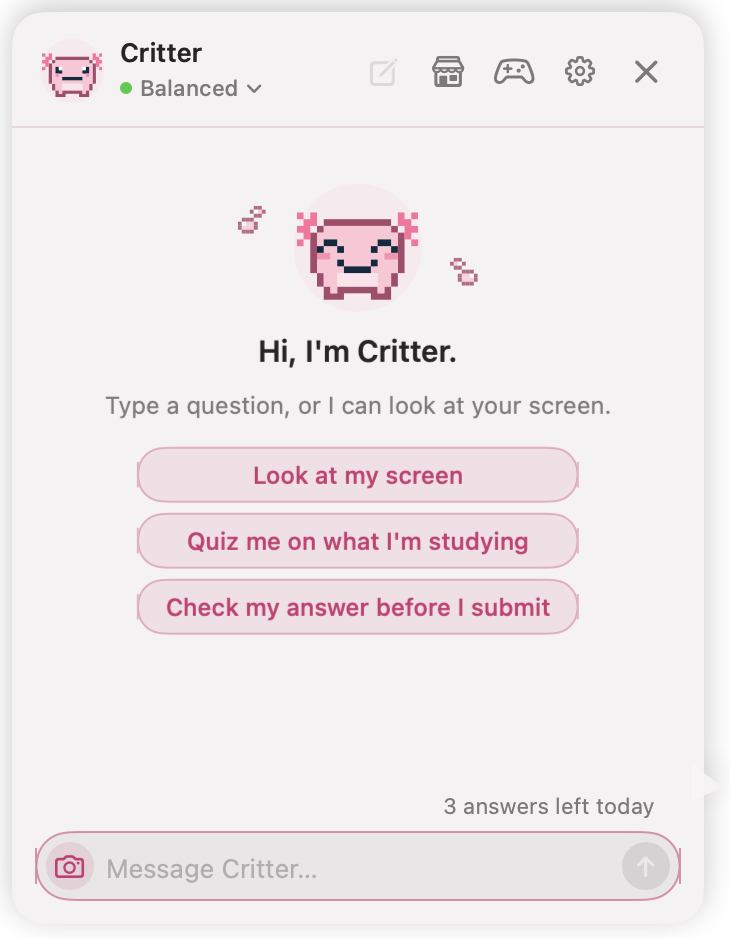
It reads your screen in one tap
Tap the camera to send a screenshot. It explains the problem step by step.
See homework help -
It's full of fun things to do
Mini games, 35 critters to collect, outfits, and lots of silly reactions.
Play the games

Ask it anything
Right-click your critter to open its chat. It answers in plain words, as short or as long as you like.
- 3 answers a day free, more with Premium
- Minimal, Short, Balanced or Detailed answers
- Your chat history stays on your Mac
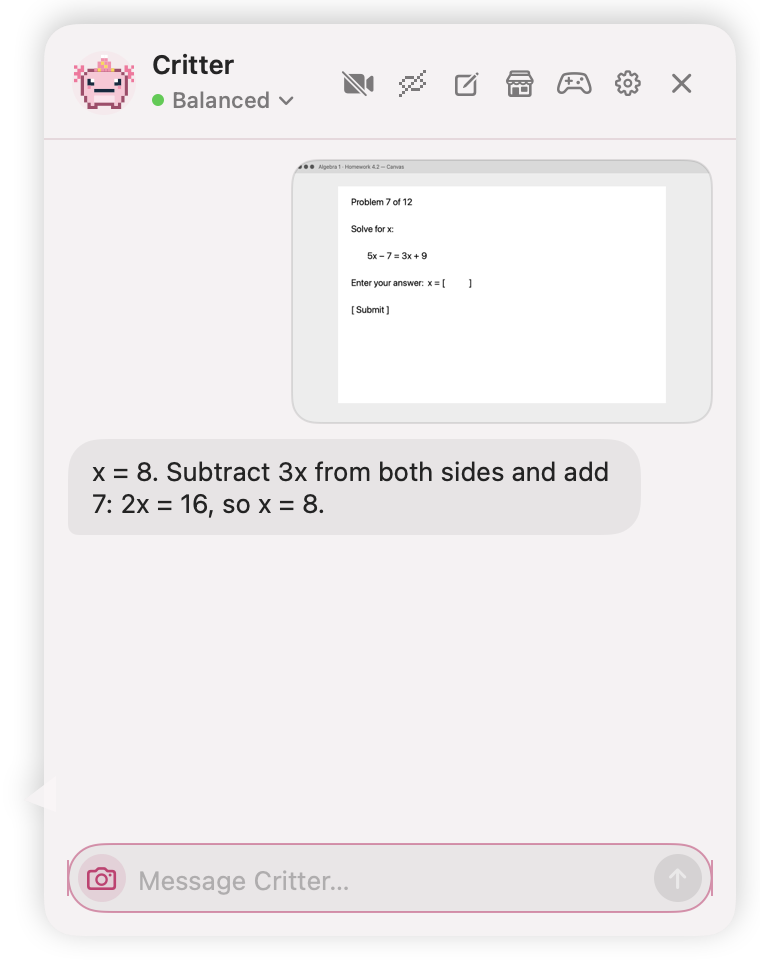
Show it your screen
Stuck on a problem? Tap the camera. It takes one screenshot, reads the question and walks you through it.
- One screenshot, only when you tap
- Works with any app or website
- Explains the steps, so you learn the next one
For homework and practice, not tests.
It has a life of its own
It walks, stretches, hums and naps. Pat it and hearts float up. Keep poking it and it gets cross.
- Small, medium or large
- You pick how often it does its antics
- Name it anything you like
 Calm
Calm Patted
 Cross
Cross Asleep
And a lot more

35 critters
Start with a cat, dog, bunny or axolotl. Adopt more as you play.

Outfits
Games pay coins. Spend them on hats, crowns and collars.
Feeding Premium
Keep its belly full with snacks, and its mood follows.
27 games
Some play in a window. Some happen right on your desktop.
62 achievements
For pats, games, outfits and the odd explosion.
Light on your Mac
It draws nothing while it sits still, so your Mac stays fast.
What it sees
Written for parents too. CritterPal is for ages 13 and up.
- Your screen
- One screenshot, only when you tap the camera. Never in the background.
- Chat
- Your message goes to CritterPal's server and on to DeepSeek, the AI company that writes the answer. DeepSeek is based in China.
- Stored
- The server keeps no chats or screenshots. Your history stays on your Mac.
- Keyboard
- It only notices the Enter key, for its spin. It never records typing.
- Ads
- None, ever.
- Quitting
- Click its menu bar icon and choose Quit. Drag it to the Trash to remove it.